Agility Agent Onboarding.
Contracts that arrive correct, and arrive at all.
I redesigned the form insurance agents use to contract with Agility, and helped architect how it talks to Zoho CRM. It now takes more than 100 contract submissions a week. Since March 2025, those contracts reach customer service with the right fields already set, and a submission with a carrier problem lands in an error form that says why, instead of disappearing.
- Problem
- The old Zoho form sent contracts in with the wrong fields, lost some outright, and left customer service slow to process each one.
- Users
- Insurance agents, independent or inside an agency, who fill it in. Agility customer service, who work the contract once it lands.
- My role
- Lead UI/UX designer. I redesigned the form, defined the user types, helped architect the Zoho connection and ran QA.
- Team
- Me, my manager and one full-stack engineer.
- Timeline
- Built January to March 2025. Live since March 2025.
- Outcome
- More than 100 contract submissions a week arrive in the CRM with correct data, and agents are onboarded faster because customer service opens records that are ready to work.
Three complaints about one form
Agility Insurance Services is an FMO, a field marketing organization. Independent health and life agents contract through Agility to get appointed with carriers such as Aetna or Humana, and until they are appointed, they cannot sell that carrier’s plans. For a new agent, that process starts with this form.
At the start of 2025 the CEO brought us the old Zoho contracting form, a multi-step form, with three complaints. It looked poor. Contracts were getting lost. And the ones that did come through arrived with the wrong fields, so customer service spent longer on every contract and agents waited longer to start selling.
I started with the inputs, not the screens
Before drawing anything, I pulled every input out of the old form and laid them out side by side. That is where the real problem showed: the form had no idea who was filling it in. An independent agent and an agent inside an agency answered the same questions, and Zoho received the same shape of record for both, with nothing to tell customer service which one they were looking at.
The CEO had described a design problem. It was also a data problem, and a prettier version of the same form would have sent the same wrong records.
Two people fill it in. One person works what they leave behind.
- Independent agentContracts with Agility on their own.
- Agency agentContracts through their agency, so the agency, its NPN and the carriers it is allowed to contract all have to be right.
- Customer serviceOpens the contract in Zoho and processes it. The record they open is the form’s real output, so I designed for them as much as for the agent.
The redesign: who you are, what you sell, where, and with whom
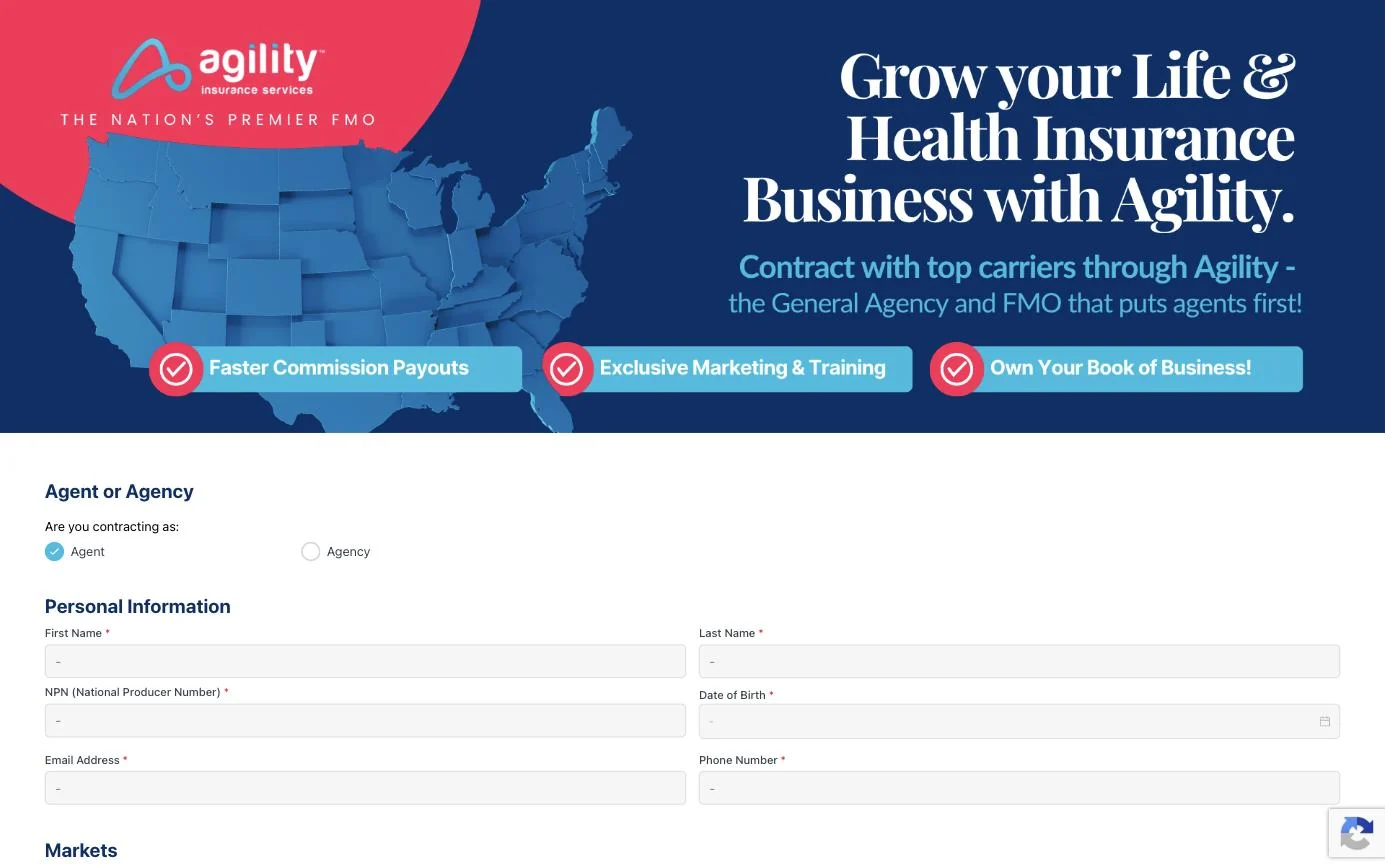
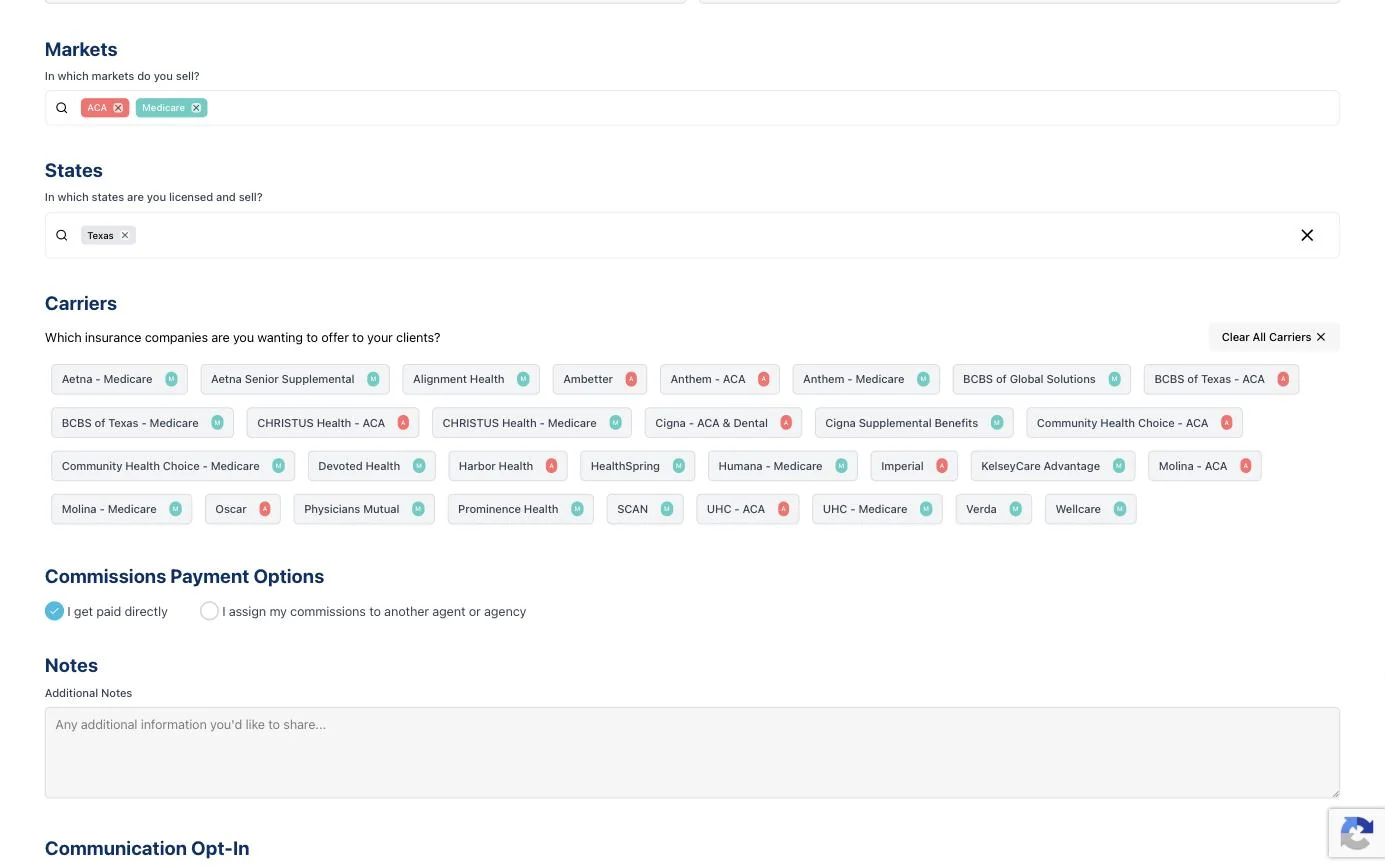
With the user types defined, I replaced the multi-step form with one standardized page built around them. The first question is whether you are contracting as an agent or an agency. Choosing agency reveals the agency name and agency NPN fields, so an agency agent gives Zoho what it needs and an independent agent never sees fields that do not apply.

Then markets, states and carriers. The carrier grid only shows carriers available for the markets and states the agent picked, so most wrong picks never appear on screen. Each market has a color, and every carrier chip repeats it as a badge with a letter, A for ACA and M for Medicare, so color is never the only signal.

How the form talks to Zoho
This is the part I helped architect with our engineer. The NPN, or National Producer Number, is an agent’s license ID. Looking it up lets Zoho confirm who the agent is and which agency they belong to, instead of trusting what they type.
- 01The agent submitsTheir NPN and their carrier picks go to Zoho.
- 02Zoho finds the agencyThe NPN tells Zoho which agency the agent belongs to.
- 03Zoho checks the carriersEach pick is checked against the carriers that agency is allowed to contract.
Then one of two things happens
I tested it live, against Zoho
I ran the QA after launch, on the live form. I took every user type through it and checked what arrived in Zoho on the other side, including the wrong-carrier case that should land in the error form. On a form that writes straight into a CRM, the record is the deliverable, so the record is what I tested.
Before and after
| Old Zoho form | Since March 2025 | |
|---|---|---|
| The form | Multi-step | One standardized page |
| Who is filling it in | The form could not tell | The agent says agent or agency, and the NPN confirms the agency |
| Fields in Zoho | Arrived wrong | Set by the lookup, such as sub-producer for an agency agent |
| A submission with a problem | Could be lost | Lands in an error form with the reason |
| Customer service | Slow to process each contract | Opens a record that is ready to work |
It is live and taking real requests, so please look but do not submit.
What I would do differently, and what is next
| 01 | Measure from day oneI shipped without before and after timestamps on the contracting cycle. Customer service feels the difference, but it is not yet a number I can put on this page. Next time I would track days from submission to appointment, and the share of submissions that land in the error form, from the first week. |
| 02 | Capture the beforeThe old form was deleted at launch, so the only before I can show is in words. Next time I would screenshot the old flow, and the Zoho records it produced, before anything is replaced. |
| 03 | The next version is already designedSince launch I have designed a new version that fixes the button hierarchy and the copy issues on the live form. It is ready and waiting on the business to schedule it, and I am happy to walk through it in an interview. |